Ever typed “canonical” into a search engine and landed on a dictionary page? Don’t panic — that’s perfectly normal. The word canonical leads a busy life outside SEO: religion, music, mathematics, computing… it turns up everywhere.
But in the context of organic search, the canonical tag is one of the most important technical rules to master — and one of the most misunderstood.
Here’s the paradox: the canonical tag is both simple in principle and remarkably complex in its implications. Used badly, it can make the very problems it’s meant to solve worse. Used well, it becomes one of your best allies for handling duplicate content, protecting your SEO authority and telling search engines exactly which version of your content should be counted.
In this complete guide, we explain it all: the meaning of the word canonical, its precise role in SEO, how to implement it correctly in your HTML code, the mistakes to avoid and the tools to check that everything is in order. Read this guide once and for all — and stop letting Google decide for you.
Canonical: let’s start with the dictionary
Canonical in English: definition and pronunciation
Before diving into SEO, let’s take a short detour through the dictionary. Canonical is an English adjective whose phonetic pronunciation is /kəˈnɒnɪkəl/ (in IPA notation), available as audio on most online dictionary platforms. It comes from “canon”, a rule or body of rules accepted as the standard — and the related verb “canonise” (to declare something officially recognised) follows regular conjugation.
The definition of canonical in the main English dictionaries — whether Oxford, Cambridge or Merriam-Webster — converges on one central idea: “recognised as authentic, official, authoritative or forming the standard reference in a given field”.
In English, a text is canonical if it is “authoritative or essential within” a body of work or a tradition. That’s precisely the sense — the official reference, the version that carries authority — that was adopted into the vocabulary of SEO and computing. (In French, the equivalent word is “canonique”, which is why you’ll sometimes see “balise canonique” on French-language SEO sites.)
Why did this word end up in SEO vocabulary?
The answer is in the definition itself. When Google and the other search engines developed the canonical tag in 2009, they chose this term precisely because it expresses the idea of a reference version, a page that carries authority among several similar or identical versions.
The canonical tag is literally the way of telling Google: “among all these pages that look alike, here is the official version, the one you should take into account”.
It’s a fascinating example of technical vocabulary borrowing an existing term and giving it a specific meaning in a new context — while keeping the essence of its original meaning.
The canonical tag in SEO: definition and role
Definition of the canonical tag in SEO
In SEO, the canonical tag — also called the rel canonical tag, canonical link or canonical URL — is an HTML tag placed in the header of a web page that tells search engines which is the reference version (or canonical version) of a piece of content available at several different URLs.
Its form in HTML code is as follows:
<link rel="canonical" href="https://www.example.com/reference-page/" />This line of code, placed in the <head> section of your web page, sends a clear signal to search engines: “this page may exist at several different URLs, but here is the canonical URL — the one you should index, the one you should credit with SEO authority”.
The problem it solves: duplicate content
To understand why the canonical tag is useful, you first need to understand the problem it’s meant to solve: duplicate content.
Duplicate content refers to a situation where the same content — or very similar content — is reachable at several different URLs on the same website (internal duplicate content) or across several different sites (external duplicate content). It’s much more common than you’d think, and it often happens without the site owner realising.
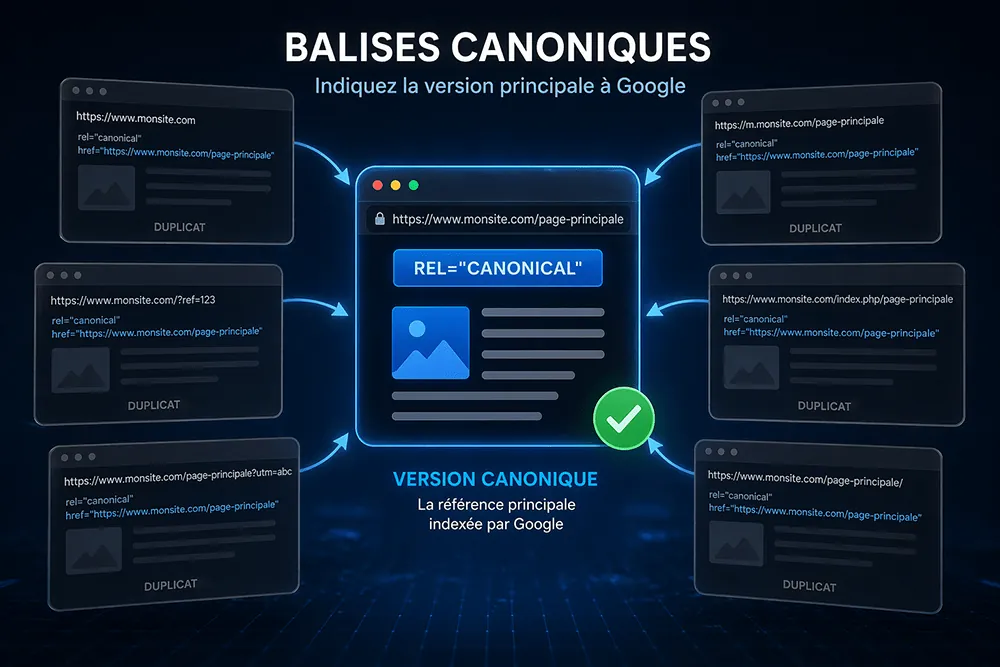
Typical examples of duplicate content on a website: a page reachable over both http AND https, a page reachable with AND without the “www” prefix, an e-commerce product page reachable through several different categories, a page with different URL parameters (filters, sorting, sessions) that generate as many URL variants, or the mobile and desktop versions of the same web page.
The impact of duplicate content on organic search
Duplicate content is a real problem for search engines: when Google finds several URLs with identical or very similar content, it has to decide which one to index, which one to show in search results, and between which ones to split the SEO authority (the famous “link juice”). Without a clear signal from you, Google makes that choice for you — and not necessarily in your favour.
The consequences can be significant: SEO authority diluted across several URLs instead of one, the risk of an unwanted version of your page being indexed, wasted crawl budget on redundant URLs, and in the worst cases, an algorithmic penalty for low-quality content.
The canonical tag is precisely the tool that avoids these problems by clearly telling search engines which URL is the reference version — the one that should receive all the authority and be shown in search results.
Canonical tag vs other technical solutions
The canonical tag isn’t the only way to handle duplicate content. Other solutions exist, and it’s important to understand their differences to choose the most suitable one for each situation.
A 301 redirect is the solution to choose when a page has permanently changed URL: it automatically redirects users and robots to the new URL, and passes on most of the SEO authority. The canonical tag, on the other hand, doesn’t redirect the user — it addresses search engine robots only.
The noindex tag tells search engines not to index a page, but it doesn’t pass SEO authority to another URL. It suits pages you don’t want to appear in search results, but it isn’t the best way to handle duplicate content.
Google’s URL parameter handling used to be configurable in Google Search Console, but that tool has since been retired, so for sites with a lot of URL parameters (filters, sessions, tracking) you now need canonical tags, clean internal linking and robots rules to guide Google.
The canonical tag is the most flexible and precise solution for indicating the reference version of a piece of content without touching the user experience or changing the site’s structure.
Duplicate content: understanding the problem in depth
How duplicate content is created on a website
Duplicate content isn’t always born of a mistake — it’s often the natural consequence of how websites are structured and built. Here are the main sources of duplicate content we come across during an SEO audit.
Protocol and subdomain variants are the most common: a single page reachable at http://mysite.com, https://mysite.com, http://www.mysite.com and https://www.mysite.com potentially generates four different URLs for the same content. Without correct redirects and without a canonical tag, Google may index all four versions.
URL parameters are another major source of duplicate content, particularly on e-commerce sites. When a user filters products by colour, size or price, or when a tracking system adds parameters to the URL, each combination generates a unique URL — and as many potentially duplicate pages in Google’s eyes.
Pagination also creates duplicate content: the first entries of a list of results often appear on several pages, with different URLs. The canonical tag can help manage this situation by pointing each paginated page to the main page.
The mobile and desktop versions of a website, when hosted on different URLs (m.mysite.com vs mysite.com, for example), are another classic case of duplicate content. In this context, the canonical tag must be paired with the hreflang tag for optimal handling.
When Google chooses the canonical URL itself
A point that’s often misunderstood: the canonical tag is a signal to Google, not an absolute directive. In other words, Google may decide to ignore your canonical tag and choose another URL as the reference version of your content. The official Google source on this subject — in the Google Search Central documentation — is very clear: Google treats the canonical as a “strong hint” and not as a binding rule.
This generally happens when the canonical tag points to a URL that has problems: a noindex page, a redirected URL, a page with very poor load time, or a URL whose content is very different from the source page.
A URL’s popularity history also plays a part: if a URL has long accumulated a large number of inbound links, Google may have good reason to consider it canonical even if your tag points elsewhere. In these cases, Google considers your hint irrelevant and makes its own selection — which can have negative consequences for your search rankings.
The rule is therefore simple: a canonical tag is only effective if the URL it points to is accessible, indexable, loads well and really shows the same content (or the reference content) as the source page. Checking these conditions is an essential step in any serious technical SEO audit.
How to implement the canonical tag correctly
Where to put the canonical tag in the HTML code
The canonical tag must be placed in the <head> section of your web page, and not in the body (<body>) of the document. Its syntax — the famous link rel canonical href — is as follows:
<head> <link rel="canonical" href="https://www.yoursite.com/canonical-url/" /> </head>This line of code is enough on its own to send the canonical signal to search engines. To understand canonical use in a real situation, here’s a concrete example: imagine a product page reachable through both /category-a/product and /category-b/product.
The canonical version — the one you want indexed — gets the tag, while the other version points to it. The result: a single URL in Google’s index, a single version of the content in search results, and all the SEO authority concentrated on the right one.
The rel="canonical" attribute indicates the type of relationship, and the href attribute contains the canonical URL. A few important rules: always use the full URL (with https://), include the trailing slash if your site uses it consistently, and make sure the URL you point to is accessible (HTTP 200) and not redirected.
The self-referencing canonical: pointing to itself
One of the most recommended best practices in SEO is to add a canonical tag to every page of your site, including when those pages have no known duplicate content problem. This technique, called a self-referencing canonical (the page points to itself), has several advantages.
It stops Google choosing a different canonical URL itself if parameters are added to your URL by a third-party tool (a Google Ads campaign, a tracking parameter, etc.). It reinforces the page’s signal as the reference version. And it makes compliance easier if your site ever needs to evolve.
On a WordPress site, this best practice is generally handled automatically by SEO plugins such as Yoast SEO, Rank Math or All in One SEO, which add a self-referencing canonical tag on every page of the site without you having to do anything manually.
It’s one of the many advantages of using an SEO plugin on a WordPress site.
Cross-domain canonical: between two different domains
The canonical tag can also be used between two different domains — this is called a cross-domain canonical. This situation arises, for example, when the same content is published on several websites (a blog and a main site, an international version and a local version), or when content is syndicated on a third-party site.
Using a canonical in this context is particularly relevant for big brands that publish on several platforms at once — an article published both on their site and relayed on Facebook or an editorial partner, for example.
In this case, the site hosting the copy of the content can add a canonical tag pointing to the original URL. This tells Google that the reference version is on the other domain, and that this is the version that should receive the SEO authority. From a legal and privacy-policy standpoint, the practice raises no problem — it simply sends a clear message to search engines about the content’s origin, without affecting users’ experience.
Canonical and pagination
Handling pagination with canonical tags is a subject that has evolved over the years and Google updates. The currently recommended practice is to use a self-referencing canonical tag on each paginated page — each page points to itself — rather than pointing all paginated pages to the first page of the list.
Indeed, pointing all pagination pages to page 1 would send Google a misleading signal: it might then ignore the content of the following pages and not index some important content. Self-referencing lets each page be indexed while clearly signalling its relationship with the other pages in the series.
Implementing the canonical on WordPress
For WordPress sites — which make up a very large share of websites — implementing the canonical tag is greatly simplified by SEO plugins. Here are the main options.
Yoast SEO, the most widely used SEO plugin on WordPress, automatically adds a canonical tag to every page and post of the site. It also provides a dedicated field to customise the canonical URL page by page from the admin interface, without touching the HTML code.
Rank Math and All in One SEO offer similar features, with slightly different interfaces but identical logic.
For developers who prefer to manage the canonical tag manually in code, it’s possible to add it directly in the WordPress theme’s header.php file, using native WordPress functions to generate the right canonical URL for the context (homepage, post, category, search results page, etc.).
Checking your canonical tags: tools and methods
Once canonical tags are implemented, it’s essential to check that they’re correctly configured and that Google is taking them into account. Several tools make this possible.
Google Search Console is the first tool to consult. Its page indexing report shows the URLs Google considers canonical for your site — and lets you see whether Google chose the same canonical URL as the one you indicated, or decided to pick another. It’s a valuable indicator for spotting canonicals that Google ignores.
Screaming Frog is the reference tool for auditing canonical tags in bulk across a whole site. In a few minutes it identifies all pages without a canonical tag, canonical tags pointing to redirected or non-canonical URLs, and conflicts between canonical tags and other SEO directives (noindex, hreflang).
To quickly check the canonical tag of a specific page, you can also use the Chrome SEO extensions presented in our dedicated article — Detailed SEO Extension or SEO Minion display the canonical tag of any web page in one click.
Canonical mistakes to avoid at all costs
Pointing to a noindex page
This is one of the most common and most counter-productive mistakes: adding a canonical tag that points to a page that itself carries a noindex tag. The result is a contradictory signal sent to Google — on one hand, you’re saying “here is the reference version”, on the other, you’re saying “don’t index this page”.
Faced with this contradiction, Google may either ignore the canonical, or not index the content in question at all.
The rule is simple: the canonical URL your tag points to must always be an indexable, accessible page with no noindex directive.
Canonical to a redirected URL
A canonical tag pointing to a redirected URL (301 or 302) is another frequent mistake. Google prefers the canonical tag to point directly to the final URL, without going through an intermediate redirect. A chain of redirects before reaching the canonical URL dilutes the signal and can lead Google to ignore the tag.
During an SEO audit, systematically check that all your canonical URLs respond with HTTP 200, with no redirect at all. It’s a simple check to automate with Screaming Frog or any other crawl tool.
Several canonical tags on the same page
Putting several canonical tags on the same web page is a serious technical mistake. When Google finds several canonical tags on a page, it doesn’t know which to take into account — and may decide to ignore them all. It’s often the result of a bad configuration between a WordPress SEO plugin and a theme that adds canonical tags itself, or between two SEO plugins installed at the same time.
The fix: check that only one canonical tag is present in each page’s HTML code, by inspecting the source code directly in your browser or with a crawl tool.
Canonical in conflict with hreflang
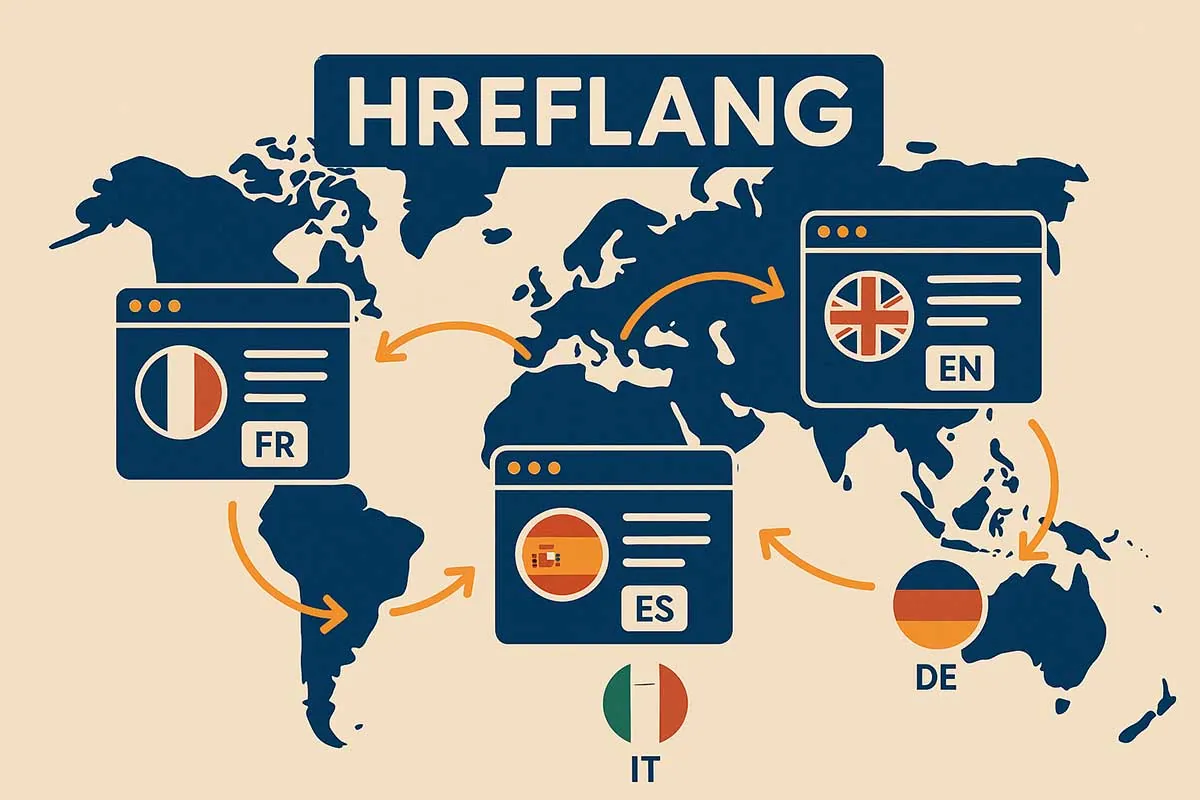
On multilingual sites, combining canonical and hreflang tags can be a source of confusion. A classic mistake is to point all language versions of a page to the same canonical URL (usually the main version) — which tells Google that all the other versions are duplicates, cancelling the effect of the hreflang tags.
The golden rule for multilingual sites: each language version of a page must have its own self-referencing canonical tag (it points to itself), AND its own hreflang tags declaring the other language versions. The two systems work in a complementary way and must not be confused.
Canonical ignored by Google: why it happens
As mentioned earlier, Google treats the canonical tag as a strong but non-binding signal. It may decide to ignore it in several situations: when the content of the canonical page is very different from the content of the source page, when the canonical URL is slow to load or has technical problems, when the canonical tag contradicts other SEO signals (internal links, URL popularity, etc.), or when the tag is added via JavaScript rather than directly in the HTML code.
To maximise the chances that Google respects your canonical tags, make sure they’re consistent with your whole SEO strategy: internal links pointing to the canonical URL, an XML sitemap listing only canonical URLs, and no contradictions with other technical directives.
Web Opteam: your technical SEO agency in Paris
The canonical audit in our SEO audit approach
At Web Opteam, auditing canonical tags is an integral part of every technical SEO audit. Our approach is to crawl the whole site to identify pages without a canonical tag, badly configured tags, conflicts with other directives and cases where Google has chosen a canonical URL different from the one indicated.
Based on this audit, we draw up a prioritised fix plan, with concrete recommendations adapted to your site and your CMS. Whether you’re on WordPress, on an e-commerce platform such as Shopify or WooCommerce, or on a proprietary CMS, our team masters the technical specifics of each environment and knows how to implement canonical tags optimally.
Technical SEO training: master canonical tags
Web Opteam offers technical SEO training for developers, digital project managers and marketing professionals who want to deepen their knowledge of technical SEO. This training covers canonical tags, duplicate content, URL management, the robots.txt file and the XML sitemap — technical subjects whose mastery makes the difference between a well-optimised site and one that sabotages itself.
Every item on the programme is illustrated with concrete cases and practical applications on real websites.
Have a question about the canonical tag or how to apply it to your site? Want to consult an expert before getting started? Our advisory service is here to help.
Our training is delivered by practitioner SEO consultants — their expertise comes from real projects, not theory. It can be organised in person or remotely. To find out more about our support offer, get in touch with our team directly. In the meantime you can read our guides and SEO articles.
The canonical tag is the rule of the game you set for Google
In conclusion, the canonical tag is a technical tool that is simple in syntax but strategic in its implications. It gives you the power to tell search engines which version of your content is authoritative — and to stop duplicate content from diluting your SEO authority or causing indexing problems.
Remember the essentials: a canonical tag always points to an accessible, indexable URL, it must be consistent with all your SEO signals, and it must be checked regularly to make sure Google is taking it into account. On WordPress, an SEO plugin such as Yoast SEO or Rank Math handles most of it automatically — but a manual check remains necessary on strategic pages.
And if all of this still seems complex, or if you’d like professionals to audit your site’s canonical tags, the Web Opteam team is here to help. Get in touch — we love this kind of technical challenge, and we have the tools to take it on.