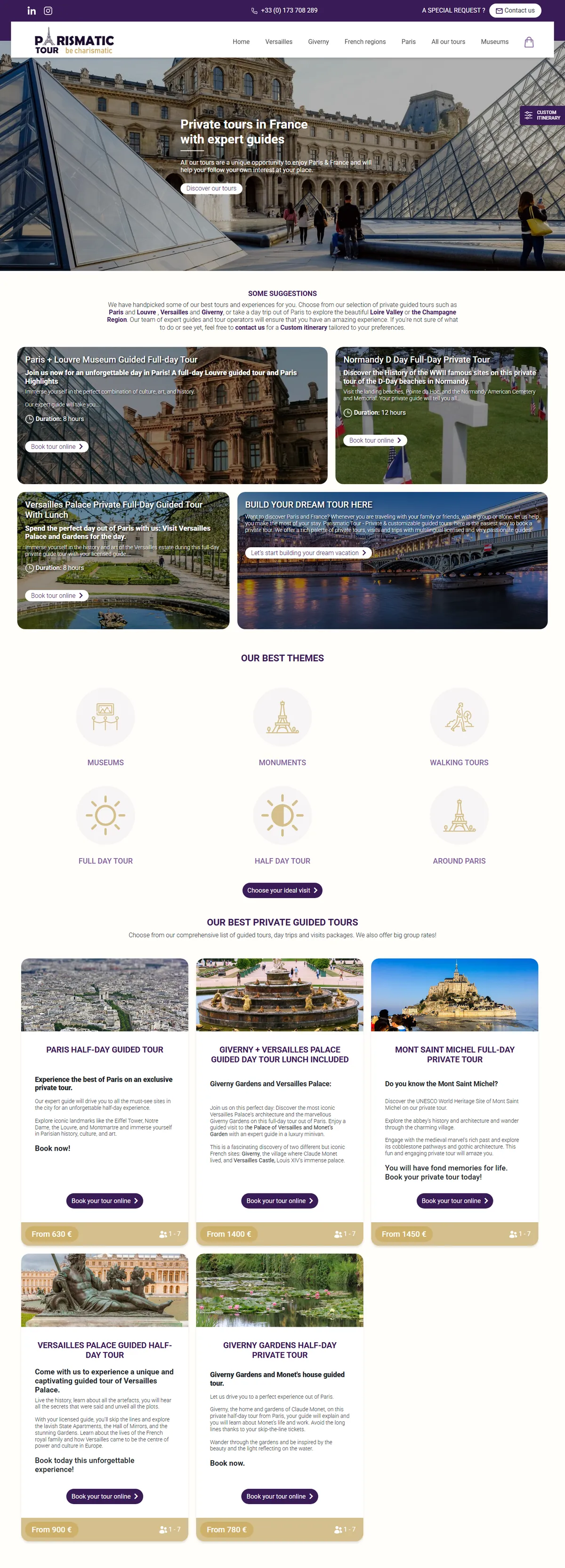
Parismatic Tour
Parismatic Tour is a website for booking private sightseeing tours online. Built entirely from scratch on the…

Technical SEO covers the optimisations that let Google’s robots, and those of other search engines, crawl, index and understand every page of your site: loading time, Core Web Vitals, responsive design, tags, robots.txt file, XML sitemap, redirects, errors and structured data. Without this foundation, even the most relevant content and quality links aren’t enough: a page Google doesn’t index appears in no search results, however good its keywords. A technical error can also cost you leads, for example when a form stops displaying on mobile.
Our agency carries out a technical SEO audit of your website, on mobile and desktop, to identify the errors that block indexing, those that slow your pages down or get in the user’s way, and the most relevant optimisations for your visibility in Google Search and your SEO. You then receive a prioritised action list. We can make the fixes ourselves when you give us access, or work directly with your developer, whether your site runs on WordPress, PrestaShop or is custom-built.
Of course, technical SEO always works best as part of a complete strategy that also covers content and links:
A simple definition: it’s the part of SEO that deals with the site’s infrastructure rather than its text, in other words everything that happens between the server, the code and the search engine robot reading the page. Google describes three stages in its documentation on how Search works: crawling (its robots, or crawlers, download pages), indexing (Google analyses the text, images and videos, then stores them in its index) and serving results when a user runs a search. Technical SEO makes sure nothing blocks the first two stages.
In practice, it covers:
Google is clear about it: indexing is never guaranteed. Technical work doesn’t force rankings; it removes the obstacles that stop your pages from competing for them and helps Google identify your most useful content for each search.
Because every technical error costs visibility. A noindex tag forgotten at launch, a redirect broken during a redesign, an expired HTTPS certificate: search traffic drops, and so do leads and sales, often without anyone noticing straight away.
What’s at stake falls into four areas:
Technical SEO is also often the lever whose effects show first: fixing an indexing error can bring whole pages back online, whereas content and link building take longer.
Here are the criteria we check in every review, with what Google’s official documentation says about them and their effect on users.
The robots.txt file tells robots which URLs they may crawl. Google points out that it is mainly used to avoid overloading the server with requests and that it can’t hide a page: a blocked URL can still be indexed if other sites link to it. To keep a page out of the results, you need a noindex meta robots tag or password protection.
The XML sitemap lists the URLs you want indexed, to help robots discover them more easily. According to Google, a file must not exceed 50,000 URLs or 50 MB, and must use absolute URLs: beyond that, you split it into several sitemaps.
When several URLs show identical content (filters, tracking parameters, addresses with and without “www”), the canonical tag indicates which URL to keep. For Google, it’s a strong signal, not a command, and so is a permanent redirect. Duplicate or very similar content and pages set to noindex by mistake are among the first things to check.
Core Web Vitals measure your users’ real experience, using Chrome browsing data. The thresholds published by web.dev for a page rated good: LCP (display of the largest element) in 2.5 seconds or less, INP (responsiveness to interactions) of 200 milliseconds or less, CLS (visual stability) of 0.1 or less, achieved for at least 75% of page loads, on mobile and desktop. A cookie banner or an image without dimensions that shifts the page while it loads is enough, for example, to hurt CLS.
Google uses the mobile content, crawled by its smartphone robot, to index and rank pages: this is mobile-first indexing. The content, tags and structured data shown on smartphones must therefore be identical to those on desktop, for genuine mobile compatibility, with a responsive design that adapts to every device and smooth touch navigation.
Every page must load over HTTPS, with a valid certificate and no mixed content: encryption protects the confidentiality of the data exchanged, especially what people type into a form. Search Console flags the URLs concerned in its HTTPS section. A hacked site can also be flagged in the search results: security is part of SEO. Finally, a manual action can hit a site that breaks Google’s spam policies, for example after a hacker injects pages or links: the Manual actions section of Search Console tells you, and once the problem is fixed you can request a review. Depending on the case, it affects the whole site or only some pages.
A clear site structure, readable URLs and consistent internal linking help robots find your important pages and understand how they relate, for better crawling. Google mainly discovers pages by following links: an important page must therefore receive internal links and not be buried too far from the home page (this is page depth). Breadcrumbs also make navigation easier for users.
The title tag, meta description and headings describe each page; Open Graph tags control the preview of a page shared on social media: without them, each social network picks the title and image itself. Structured data (schema.org vocabulary) gives Google explicit information: business, product, reviews, frequently asked questions. Google recommends the JSON-LD format and specifies that structured data makes a page eligible for rich results, with no guarantee they will be shown.
Every URL change needs a 301 redirect to the right page; redirect chains and internal links to 404 errors waste crawling. On a multilingual site, the hreflang tag links the versions of each page: Google requires each version to reference the others, otherwise the tags are ignored.
A technical SEO audit cross-references three data sources: a full crawl of the site, Google Search Console data, and performance tests on mobile and desktop. Here’s how we carry it out.
A first video call to learn about your business, your offers, your site’s history (redesign, migration, hacking, traffic drop) and your goals. You give us access to Search Console and Google Analytics.
A crawler goes through the site as Google would: response codes, redirects, tags, depth, internal links, orphan pages, duplicate content. We also check that the URLs found match those in the sitemap and the index.
Indexing, speed, Core Web Vitals, mobile display, HTTPS, structured data, hreflang: using the crawl and the Search Console reports, each problem is linked to the URLs concerned and to its impact on your SEO.
A clear report, with the data and the pages concerned, and recommendations ranked by impact and effort: quick fixes first, then the bigger projects. We walk you through it, so you can make informed decisions.
We make the changes when you give us access, or help your developer implement each fix. Once the fixes are done, a targeted crawl checks that every one has been applied.
If you work with us over the long term, every action is tracked in your Hub Opteam client area. Our Lab Opteam dashboard, which brings together Search Console, traffic and social media, runs a technical crawl every week and sends an email alert when a page switches to noindex, an error hits the home page or the HTTPS certificate is about to expire.
Start from real data: the Core Web Vitals section of Search Console shows groups of slow URLs, and PageSpeed Insights details the causes page by page. The most common fixes:
Not all optimisations are equal: the review identifies what really weighs on the LCP or INP of your key pages, rather than chasing a perfect score in a tool. What counts is how long the user actually waits.
The fundamentals don’t change, but each type of site has its own pitfalls and priorities:
Technical criteria change: Google updates its algorithms several times a year, replaces metrics (INP took over from FID in the Core Web Vitals in 2024) and revises its documentation. Trends move too, with AI answer engines, which we cover with GEO. Following these changes, and knowing which ones affect your site, is part of our day-to-day work.
Sitemap, robots.txt, tags, images, structured data: there are so many criteria to check that theoretical knowledge isn’t enough. A multilingual site, an ecommerce catalogue or a domain migration don’t share the same pitfalls, and experience of these cases makes it quicker to spot the real cause of a problem: every technology has its constraints and calls for a different approach.
A technical analysis produces a lot of data that’s hard to use as it stands. Our job is to turn it into a list of clear actions, ranked by priority, that you can follow. Being able to explain our conclusions matters as much as the analysis: you shouldn’t end up drowning in information.
Our SEO team works with our Web team, which handles CMSs as well as custom code. When the audit recommends reworking a template, slimming down the code or setting up redirects, our team can take care of it, on WordPress, PrestaShop or custom development, without adding more contacts to your list.
Technical SEO also touches content (markup, duplicates, internal linking) and links (redirects that lose backlinks). An agency SEO expert makes sure nothing holds back the work done on the other pillars.
A good provider isn’t judged by the number of errors it lists. A few practical criteria for comparing offers:
The main budget factors are the number of URLs to crawl, the site’s technology and the scale of the fixes: a business website with a handful of pages doesn’t need the same work as an ecommerce site with thousands of products and filters. We don’t offer a standard package: after a first conversation, you receive a free, no-obligation quote that sets out the criteria checked and the deliverables.
For a first review, we also offer a free audit of your website: a consultant contacts you to understand your project, carries out the audit and presents the first opportunities, including what is holding back the indexing of your pages. The first conversation takes place by video call, wherever your business is based, in France or abroad.
A hacked WordPress site and a drop in SEO traffic, a custom redesign, speed to improve: a few projects where technical work made a difference to search rankings.
Parismatic Tour is a website for booking private sightseeing tours online. Built entirely from scratch on the…

Little Victoire is a bilingual, eco-friendly micro-nursery. Mina (the founder) was working with an agency…

MKBS is a Korean skincare shop built around reconnecting with yourself, run by an independent founder. The…
User experience is the pillar most closely tied to technical SEO: navigation that is clear for users is clear for robots too, and speed and mobile display serve both. Working on SEO and UX together, for the user as well as the search engine, is what SXO is about.
Find out more
Tracking technical performance isn’t enough: you also need to track rankings, traffic and conversions across the whole site, with reliable KPIs, to steer your marketing and digital strategy.
Find out more
Audit recommendations often require a developer. If you don’t have one in-house, our website maintenance service takes over. And when the analysis shows a site has piled up too many problems, a redesign with the same team is often the simplest solution, from building the new site to migrating the content.
Find out more
List only canonical, indexable URLs that return a success code: no noindex, redirected or error pages. Use absolute URLs, split the file beyond 50,000 URLs or 50 MB, declare it in robots.txt and submit it in Search Console. WordPress and PrestaShop generate it natively or with a plugin, and a custom-built site produces it programmatically: either way, you still need to check that it contains only the right pages.
Yes. Some CMSs or themes don’t let you change the markup structure or redirect handling, or improve speed beyond a certain point. The review shows whether these blocking factors are too significant; a redesign on another technology may then be recommended.
A full audit is worthwhile before and after a redesign or migration, when building a new site, when changing CMS or after a lasting drop in traffic. Between audits, continuous monitoring (regular crawls, alerts, a monthly review of Search Console data) catches new errors before they weigh on your visibility.
No. Technical SEO lets Google read your pages; it doesn’t guarantee their rankings. You also need content that answers your customers’ searches and keywords, built with a semantic audit and SEO copywriting, and links that strengthen the site’s authority through link building. Our SEO consulting service brings these three pillars together.
What if your next website became your best salesperson?
Keep in touch!
We reply within one business day, in English, with an honest first opinion, even if it shakes things up a little.