
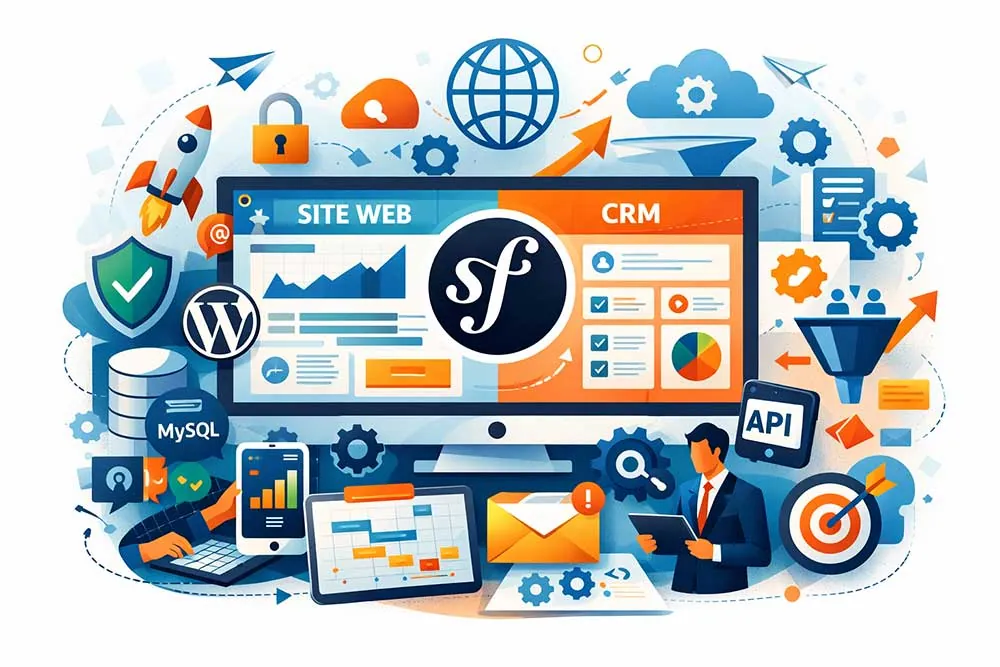
When a company talks about “building a website”, it often thinks of a showcase page, a bit of content, a contact form, and that’s it. Then real life arrives: leads to qualify, requests to follow up, access rights, a client portal, reminders, integrations, a database that keeps growing… and suddenly, the website becomes an application.
The problem is that if you build your system by stacking tools (a bit of WordPress, a SaaS CRM, three Excel exports and two “work in progress” automations), you end up with a complex project you never decided on, and with no real control over it.
That’s where Symfony becomes interesting: not because “it’s technical”, but because it lets you build a robust, maintainable, secure and fast solution that fits your business logic, with a clear structure. And if you put a custom CRM at the heart of it, you stop putting up with your data: you take control of it.
What exactly is Symfony (and why does everyone talk about it)
Symfony is a framework… in other words, a working framework for developing
Symfony is open source, used by a large community, with solid official documentation and a very broad ecosystem of support. It’s an open-source framework designed to handle a business website just as well as a client portal, an ecommerce site, an administration back office, or a web API feeding a mobile app.
In short, it’s “full stack” in the practical sense: you can build the front end, the back end, the admin, and web services.
In practice, where does Symfony run? Server side, browser side
A Symfony website runs on the server side (the web server). The browser sends a request, the server runs PHP code, fetches data (from MySQL, for example), then sends an HTML page back to the browser. If you add client-side JavaScript, you can improve the user interface, make navigation smoother, or consume an API.
Symfony therefore sits in the right place: between your business need and the reality of the web. Want to “create a page”? Symfony can generate a controller, a route, a Twig template, and serve the content. Want a management system with permissions? Symfony gives you the tools: authentication, authorisation, sessions, CSRF protection, and so on.
Twig, Doctrine, Composer: the three buddies you meet very quickly with Symfony
- Twig: the template engine (template / HTML code) that lets you generate clean pages, without mixing all your PHP with your design.
- Doctrine: the database mapping and management tool (entities, migrations, database schema) for building a solid database and evolving the model painlessly.
- Composer: the dependency manager. It installs libraries into vendor/, manages versions, and makes upgrades more controlled.
And yes, you’ll also come across cache/, bin/console, logs, and a command line. Symfony isn’t afraid of the terminal: it uses it to make development more reliable and more automated.
A mini example (very “hands-on”): creating a new Symfony project
In a development environment, you can create a new project in several ways. Example with Composer:
create a new project (project_name)
composer create-project symfony/skeleton project_name
cd project_name
install useful dependencies via Symfony Flex (optional but very handy)
composer require webapp
start the dev server (if you use the Symfony CLI)
symfony serve -d
You can then open the site in your browser and start browsing. The Symfony CLI also makes configuration, local server management and some diagnostic commands easier. And on the “operations” side (production), you’ll be on a proper web server (Nginx/Apache), with a secure configuration, caching and monitoring.
A website and a CRM are not two separate projects (and Symfony can be the answer)
The principle is simple: a website isn’t only a place where you “present” a company. It’s a system that captures, structures and circulates data. A page viewed, an address typed into a form, a quote request, a newsletter sign-up, a click on an offer, a download… every element leaves a useful trace.
And a CRM isn’t just a contact database: it’s a system designed to turn those signals into concrete actions. It qualifies, assigns, follows up, tracks, measures and feeds conversion — and along the way, it stops information getting lost in internal conversations or “in-between” spreadsheets.
The problem appears when you treat the “website” and the “CRM” as two different pieces of software. You quickly end up multiplying manual work: exporting CSVs, stitching information back together, deleting duplicates, reconfiguring fields, and “measuring” only part of the journey.
You think you’re saving time at the start, then you pay the bill in mental load and lost data. The consequence is always the same: marketing runs acquisition in its tools, sales manage opportunities elsewhere, support replies from another interface, and nobody has a single, reliable view.
Even a simple feature like “find a prospect’s history” becomes a mini-project in itself.
That’s precisely where Symfony becomes interesting. Symfony is used as the foundation to build a Symfony application that brings the website and the CRM together into one coherent whole. Instead of making two systems “talk” to each other in a more or less fragile way, you have a single logic, a single database, and a functional interface designed for your teams.
For a web agency (or a specialist Symfony agency), this is a very concrete advantage: we can model a specific need (your sales cycle, your qualification rules, your permissions, your business processes) without bending plugins or stacking integrations.
And the real benefit is flexibility and scalability. Your site can start as a showcase, then grow into a client portal, a “requests” area, a support module, project tracking, or even an ecommerce site. You add a feature, not a patch.
You change a field, not a whole chain of exports. And you can evolve the technology without breaking everything, because a framework like Symfony imposes a structure and modularity that make the project more maintainable.
On the developer side, the benefit also lies in clarity: Symfony (PHP, a server-side programming language) lets you build clean modules, configure workflows, and centralise actions. A Symfony agency with expertise and good support can help you learn to run your tool: who has access to what, which data is collected, which internal note or status is attached to a contact, how an opportunity is tracked. Everything becomes “flagged” and traceable in the right place.
And if you’re wondering whether it’s “complicated” to get started: setting up a Symfony project is very accessible today. In a development environment, you create a project in a few commands, go to the right directory, run the scripts, then move forward step by step.
Typically, you’ll see commands (bash) like create-project, a cd to the path of your project_name, and Symfony commands (bin/console) to generate controllers, entities or migrations (make). It’s not the aim of this article to go into detail, but it illustrates a point: Symfony offers a serious, industrial-grade framework, which makes scaling up safer.
In short: treating the website and the CRM as a single system means no longer losing information between two tools. And using Symfony gives you the possibility of building a custom solution that is coherent, scalable and truly adapted to your business — with a smoother user experience for customers, and simpler management for your team.
Why Symfony is a good fit for custom development
Because custom development is mostly… business logic
The words “custom development” sometimes scare people, as if we were going to reinvent the internet from scratch. In reality, custom development becomes essential when your need isn’t “standard”.
Typical examples:
- your company has a specific sales cycle (several stages, approvals, permissions)
- you want a client portal with role-based access and a complete history
- you need to manage resources, sessions, documents, custom fields
- you want tailored modules: tickets, quotes, reminders, notifications, scoring, reporting
Symfony is designed for this: defining a structure, coding rules, guaranteeing solid security, and evolving the project without breaking what already exists.
Because Symfony makes the technical side more maintainable
A Symfony project naturally pushes towards a clear architecture: controllers, services, Doctrine entities, Twig templates, configuration, logs, cache. It’s easier to take over, to test and to evolve, especially when the team changes.
And when you need to upgrade to a new version, Symfony gives you the tools: a clean organisation, dependencies managed by Composer, database migrations, automated tests, more readable documentation.
A custom Symfony CRM: when a SaaS CRM becomes a limit
At the start, the idea of a SaaS CRM is appealing: you sign up, configure two or three fields, and you can start tracking your contacts almost immediately. For many companies, this “standard” use works very well… as long as the process stays simple and close to the model the tool was built for.
The trouble comes when your reality on the ground is different. As soon as you have specific business logic (lead routing, internal qualification rules, non-linear stages, approvals, team-based permissions, service particularities), you start working around the tool.
And it’s often invisible at first: you add a rule, then a module, then an integration, then an automation, then a small tool on the side “just to fill a gap”. In the end, you have a fragmented system: one function here, another there, and data that doesn’t tell the same story depending on where you read it.
A custom CRM built in Symfony changes the rules of the game because it is designed as part of the same product as your website and your portal. It’s no longer “a piece of software on the side”, it’s a native module, connected directly to your database, your pages, your forms and your user journeys.
In practice, you can manage exactly what you need, without forcing it: Contact entity, Company entity, Opportunity entity, interaction history, fine-grained permissions, follow-up, internal notes (the famous note that saves you from “I can’t remember why we followed up”), and tailored automations.
And above all, you choose the granularity: simple at first to get value quickly, then more advanced as the project matures.
On the developer side, it’s also much cleaner: rather than stacking rules inside a SaaS interface, we formalise the processes in a maintainable structure, within a Symfony web application (or more broadly one of the Symfony applications) built to evolve.
If tomorrow you need to expose this data to other systems, you can do so through an API, and even go further: for example, build a mobile app that consumes the same resources, without rebuilding a parallel CRM.
And if you want to illustrate the “integration” side simply, you can explain that an action on the website can directly trigger logic in the CRM without going through three third-party services: a contact form can create a lead, assign an owner, add a note, and start the next step.
Technically, this can be done through internal calls or web services; in a SaaS ecosystem, you would often end up running a chain of integrations via webhooks and API calls (sometimes with a curl in testing to check a route or an endpoint).
Custom development doesn’t prevent these integrations, it makes them more reliable, because you control the logic and the data at the source.
Finally, the benefit is organisational too: a Symfony website with an integrated CRM avoids having a “sales CRM”, a “support CRM” and a “marketing CRM” that are not synchronised. Everything is in one place, and the system is designed to follow growth instead of slowing it down.
Yes, it needs scoping and a design phase, but that’s precisely what prevents drift: a different tool in every corner, and nobody who really knows which one tells the truth.
Custom Symfony website development, fine, but why not WordPress?
WordPress remains a very practical tool for building a site quickly, publishing content, running a blog, and benefiting from plugins. But there are cases where WordPress becomes a constraint:
- when the administration interface has to be very specific
- when permissions are fine-grained and tied to the data (not just “editor / admin”)
- when performance is critical and the site becomes an application
- when the CRM integration has to be native and deep
Symfony lets you choose exactly what you build. You don’t lose simplicity: you rebuild it “your way”, with a structure designed for your company, your project, your design, and your growth.
Ultimately, the point isn’t to pit WordPress against Symfony as if one were “good” and the other “better”. What matters is the level of complexity and customisation your project requires. For many websites, WordPress is perfectly suited, because it’s built to publish fast and iterate easily.
But as soon as your site starts to carry business rules, a truly specific administration, or fine-grained data logic (rights, statuses, workflows, portal), you find yourself bending the tool through plugins and workarounds. And at that point, you no longer have a “simple” site: you have a complex system… built with bricks that weren’t designed for it.
Symfony, on the other hand, is designed to absorb this complexity cleanly. The structure helps you evolve your project without multiplying fragile layers. And if you need to lay a solid foundation, starting with a Symfony project (your famous project_name) lets you set the frame from the beginning: a clear architecture, separate modules, controlled rights, a tailored admin, and more predictable evolution.
It’s also what makes website maintenance and scaling up simpler: you add functionality without “breaking” the whole, and you can integrate your CRM natively, without depending on a stack of extensions.
Finally, there’s an often underestimated point: longevity. Symfony (from the Sensio framework ecosystem) puts you on rails of good practice and standards, which makes it easier for other developers to take over and to maintain the project over several years. On websites that have to last and grow, this “invisible” stability becomes a real advantage: you move forward on a clean base, rather than spending your time fixing what was added “easily” at the start.
The building blocks of a successful Symfony website project
A “well-thought-out” Symfony website isn’t just code. It’s a system:
- a front end (Twig + possibly JavaScript)
- a database (MySQL) modelled with Doctrine (database schema, migrations)
- an API (API Platform if you want to expose resources cleanly)
- an administration (back office) adapted to the business
- permissions, authentication, sessions
- logging, caching, and a clear configuration
- a testing strategy (automated where possible)
The goal is simple: a fast, secure, maintainable and scalable solution.
In the end, these building blocks aren’t there “to look good”: they build a stable base that lasts. When they’re well assembled, you avoid the classic side effects of fast-growing web projects: dropping performance, scattered business rules, poorly controlled access, and maintenance that becomes painful at the slightest change.
With Symfony, the idea is precisely to keep a clear structure from the start so you can add features without breaking everything, evolve the database schema through clean migrations, secure access, and improve the user experience over successive versions.
The result: a website that stays fast and reliable, and a team (on the dev side as well as the business side) working with a tool they truly control.
Security: why Symfony is an excellent choice (and what it prevents)
On the internet, security isn’t optional. As soon as your website collects an email address, handles a registration, offers a client portal or runs a CRM, you’re handling sensitive data and you become a target “by default”. The strength of Symfony is that it doesn’t treat security as an add-on at the end of the project: it’s built into the framework.
And above all, it pushes you towards a healthier structure, which greatly reduces “accidental” vulnerabilities.
CSRF: protecting forms against invisible actions
CSRF (Cross-Site Request Forgery) targets a simple scenario: a user logged in to your site (admin or customer) is tricked into triggering an action without knowing it (e.g. editing, deleting, changing an email, approving…). Forms are a classic way in, because they trigger actions on the server side.
Symfony handles this very well, with built-in protections on forms and token mechanisms. In practice, it prevents the situation where “someone clicked a link” and, without realising it, launched a sensitive action. On a CRM, that can be dramatic: deleting a record, changing a status, adding a permission, and so on. With a framework like Symfony, this kind of safeguard is there from the start.
XSS: limiting script injection in your pages (and in your back office)
XSS (Cross-Site Scripting) is a great classic: injecting JavaScript into a page via a badly filtered field (comments, form, description, internal note, “name” field, etc.) to steal sessions, hijack an interface, or manipulate the user.
Where Symfony scores points is that Twig (the template engine) encourages good practice, notably escaping by default in HTML output. It doesn’t relieve you of thinking (particularly about rich content, WYSIWYG editors, or fields that accept HTML), but it greatly limits common mistakes.
And above all, it also protects your administration: many XSS flaws become dangerous because they hit an admin interface where rights are elevated.
Permissions and authorisation: avoiding the “everyone can do everything” trap
On a simple business website, you can live with two roles (admin/editor). On a client portal plus CRM, that’s rarely enough. You have different profiles, access levels, sensitive functions, and data that must not be exposed.
Symfony allows clear management of permissions and authorisations, with logic you can adapt to your business: roles, rights per action, restrictions per resource (e.g. a customer only sees their own requests), validation rules, and a clean separation between what is public and what is protected.
That’s exactly what prevents catastrophic bugs like “a user accesses another user’s record” or “a member can edit a field they shouldn’t”.
Authentication: sessions, tokens, and controlled access
Authentication isn’t just “a login/password”. It’s also how you manage the session, the length of the login, cookie security, logout, password recovery, API access, and sometimes SSO.
Symfony lets you configure these mechanisms cleanly for your context: classic session for a back office, tokens for an API, access through firewalls, expiry rules, protections against suspicious behaviour. In a custom build, this is a big advantage: you don’t have to live with a one-size-fits-all model, you choose the one that fits your level of risk and the expected user experience.
The real bonus: fewer “accidental” vulnerabilities
The most important point is often this one: a structured Symfony project reduces the flaws that come from patchwork. When you stack plugins and bits of code without an overall vision, you create grey areas: forgotten endpoints, unprotected forms, misaligned rights, outdated dependencies, behaviour nobody really controls.
With Symfony, the structure imposes discipline: identified routes, clear controllers, isolated services, logs, versioned configuration, dependencies tracked via Composer. It doesn’t make you invincible, of course, but it greatly reduces the “unintentional” risk surface. And it’s often that risk that costs the most, because it takes everyone by surprise.
The Web Opteam method for building a Symfony website: scope, deliver, iterate (without letting the scope explode)
Custom development succeeds when it is scoped. For us, the healthiest approach is:
- define the objective (what the website + CRM must do, and how to measure it), which starts with a good project brief!
- deliver an MVP (a first working portal, contact management, a simple pipeline)
- iterate (automation, reporting, integrations, design, optimisation)
- provide maintenance (updates, security, logs, performance)
Because the worst scenario isn’t “Symfony”. The worst scenario is a custom project without priorities, where everything seems important and where, in the end, nothing really moves forward. That’s exactly why we insist on iteration: a good Symfony project isn’t “we build everything, then we’ll see”, it’s “we quickly deliver a useful base, then we improve it intelligently”.
In practice, once the MVP is in place, iteration turns a working tool into a genuinely profitable one: we automate what wastes time (assignments, reminders, notifications, tasks), we add the right steering indicators (reporting, dashboards), we strengthen integrations (emailing, analytics, ads, accounting…), and we optimise the user experience for customers and team alike.
The advantage of custom development is precisely that these additions can be made cleanly, without breaking what exists, because the Symfony structure is designed to evolve.
And maintenance isn’t “an option we’ll look at later”: it’s what protects the value of the project. A custom website + CRM lives, receives updates, evolves with the company, and has to stay secure, fast and readable for the teams. So from the start we plan a framework: log monitoring, fixes, version upgrades, performance monitoring, and regular adjustments.
It’s less glamorous than shipping a new feature… but it’s what guarantees the product stays stable and useful over time.
Building a Symfony website is an investment… to stop putting up with things
Choosing Symfony to build a website and a custom CRM isn’t choosing “more complicated”. It’s choosing a robust foundation for a project that is meant to become a real business tool. You can build a web application that fits your needs, manage your data cleanly, integrate your CRM at the heart of the site, guarantee security, and evolve the system without starting from scratch with every new feature.
If your goal is to quickly launch a simple showcase site, WordPress may be enough. If your goal is to build a unique, maintainable, high-performance solution with a portal, administration, permissions and business logic, Symfony is often the best choice.