A CMS, or content management system, has become an essential tool for building and running websites. Whether you want to create a business website, a blog, an online shop or even an intranet for your company, a CMS offers a flexible and accessible solution, even for users with no software development knowledge.
In this article, we explore the definition of a CMS, its features, the different types of CMS, and their advantages for businesses.
What is a CMS?
A CMS is software that lets you create, edit and manage content on a website easily, without having to touch the code. This type of system offers a user-friendly interface where you can insert text, images and videos, create pages, and organise it all without any programming skills. Thanks to this interface, running a site becomes more intuitive and accessible.
The main components of a CMS
A CMS is generally split into two distinct parts, each with a specific role in managing a website and in how it is presented: the back end and the front end. Understanding this distinction is essential to getting the most out of the CMS and knowing how each part contributes to administering and viewing the content.
To sum up, the back end and front end of a CMS are interdependent. The back end focuses on managing and structuring content, while the front end handles display and interaction with end users. Mastering both parts maximises the efficiency and impact of your website, making sure content administration is smooth and the user experience is optimal.
The back end: the administrative side of the CMS
The back end is the heart of the system for managing the site’s content. It’s the administrative part of the site, accessible only to users with the necessary rights, such as administrators, editors or contributors. Thanks to the back end, you can manage all the content, configure the site’s settings and adjust the customisation options.
Here are the main features of the back end:
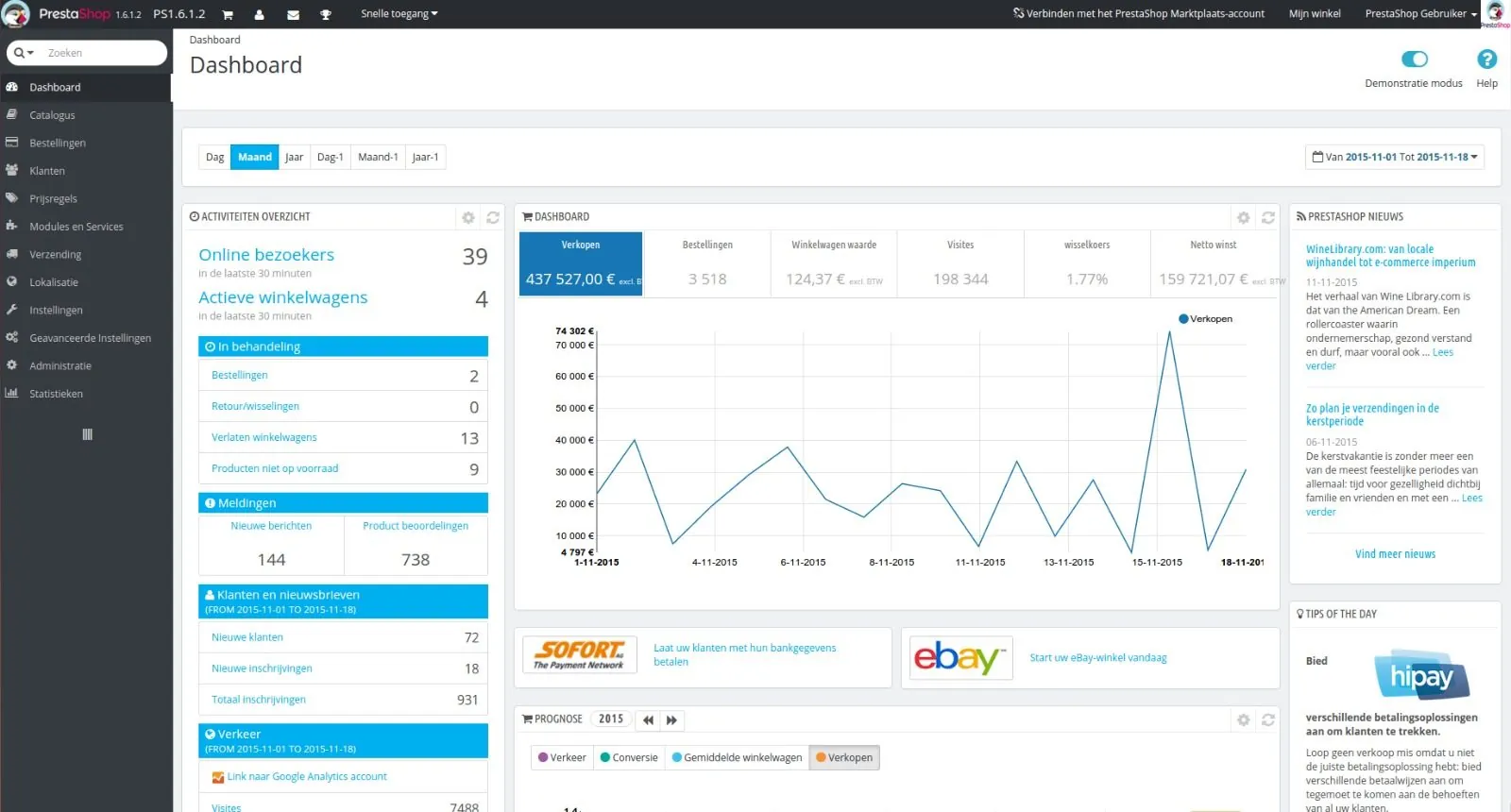
- Dashboard: The dashboard (or admin interface) gives an overview of site activity, statistics, and the status of texts that are published or awaiting publication. It lets you move easily between the different sections, such as posts, pages, comments or media.
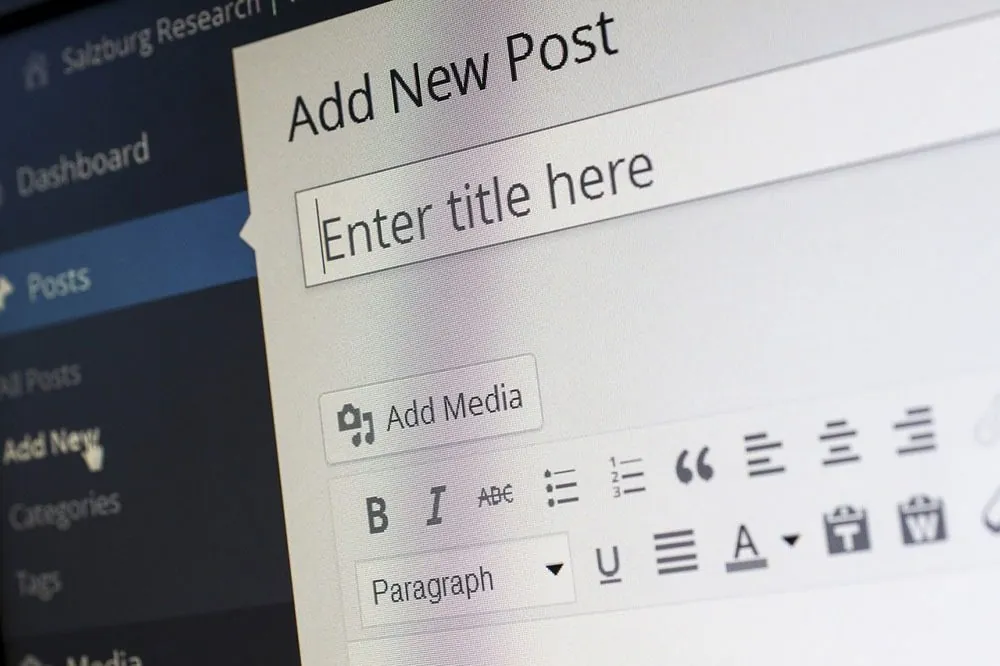
- Content management: The back end lets you create, edit, update and delete any type of content on the site: blog posts, static pages, image galleries, videos, and much more. This can be made easier by visual editors (WYSIWYG) that simplify adding and formatting text, images and other multimedia elements without writing code.
- User management: In the back end, you can create several user profiles with defined roles (administrator, editor, author, contributor, subscriber). Each role has specific permissions, which secures access to the different parts of the administration according to the rights assigned.
- Customisation: The back end also includes tools to customise the site’s design and characteristics. This includes choosing themes (templates) to define the site’s appearance, as well as adding and configuring plugins and extensions that enrich the CMS’s functions. For example, plugins can be installed to add a contact form, an e-commerce module, or advanced search engine optimisation (SEO) options.
- Site settings: All the site’s technical settings (URL, language, security options, SEO optimisation, etc.) are managed from the back end. This is where you configure the site’s overall behaviour and tailor it to your business or project.
- Installing and managing plugins and extensions: Plugins are add-on modules that extend the CMS’s basic features. The back end lets you install, configure and update these plugins to meet the site’s specific needs, such as integrating social networks, adding a newsletter module or creating a members’ area.
The front end: the part visitors see
The front end, for its part, is the public side of the website, the part visitors see and interact with. It’s the site’s shop window, shaped by the design, layout and organisation of content as defined in the back end. The front end focuses on display and user experience. It includes:
- The display of content created in the back end (posts, pages, products, etc.), presented on the front end according to the structure defined by page templates and layout settings. The front-end design may include headers, navigation menus, footers, dynamic content sections, and so on.
- Navigation and ergonomics, where the front end plays a crucial role. Navigation menus, call-to-action buttons, and internal and external links are defined here to guide users and let them easily find the information they’re after. Good navigation optimises the user experience and improves retention on the site.
- The front end must be optimised for smooth browsing on every type of device (desktop computers, tablets, smartphones), known as adaptability and responsive design. Thanks to responsive templates and themes, the front end automatically adapts the display of content to the screen size, guaranteeing a quality experience whatever the device.
- The front end lets you add interactive and multimedia elements such as sliders, image galleries, embedded videos, testimonial carousels, or social media interaction buttons. These visual and interactive elements make the site more attractive and encourage visitors to engage more with the content.
- The front end is also shaped by the customisations defined in the back end. For example, colours, typefaces, font sizes or section layouts are applied to all the site’s pages to guarantee visual consistency.
- Front-end performance (load time, smoothness, etc.) is crucial for user experience and for SEO. CMS platforms often include extensions to compress images, minify CSS and JavaScript code, and cache content to guarantee fast browsing.
Why use a CMS?
Accessibility and time savings
A CMS is designed so that anyone can create and manage a website. Thanks to its ease of use, you can build a complete site without writing a single line of code. This saves time when building sites, cuts development costs, and gives users more independence.
Flexibility and customisation
A CMS lets you customise a site to the specific needs of a business or project. By adding plugins, extensions and templates, you can adjust the site’s appearance, features and behaviour so it matches exactly what you want.
WordPress offers thousands of plugins to add functions such as image galleries, contact forms or booking systems.
The features of a CMS
A CMS offers many settings for managing an entire website. Here are some of the most common:
- Content management: lets you add, edit and organise pages, blog posts, images, videos and other types of content.
- Page creation: you can create static or dynamic pages, and use predefined templates to make layout easier.
- Design customisation: most CMS platforms offer themes and templates that define the site’s style. These themes can be modified to fit your company’s visual identity.
- User management: a CMS lets you create different user roles with specific permissions, which makes collaboration on the site easier.
- Built-in SEO: many CMS platforms include SEO features to optimise your pages’ visibility on search engines.
- Extensions and plugins: extensions let you add further functions such as galleries, forums, web shops, or integrations with other software.
The main CMS platforms on the market
WordPress
WordPress is arguably the most popular CMS in the world for business websites. Originally designed for blogging, it is now used for all types of sites: blogs, business websites, e-commerce, intranets, and much more.
Thanks to its active community, WordPress offers a great many plugins and themes to customise your site to your needs. Its ease of use, SEO compatibility and flexibility make it an ideal CMS for beginners and experienced developers alike.
PrestaShop
For e-commerce websites, PrestaShop is one of the CMS platforms specialised in running online shops. It offers advanced product management, payment and logistics features, and is designed to meet the needs of businesses selling online.
How do you choose a CMS?
Choosing a CMS depends on your company’s needs and your web project. Ask yourself the following questions:
- What type of site do you want to create? (Blog, business website, e-commerce, intranet, etc.)
- What types of content will you publish?
- How complex is the site? (Number of pages, interactivity, etc.)
- Do you have specific needs for user management or security?
Compare the features available in terms of customisation, user management, SEO and technical support as well. A CMS like WordPress is perfect for business websites and blogs, whereas PrestaShop is better suited to an online shop.
The advantages of a CMS
Content management systems (CMS) have become a go-to solution for businesses, entrepreneurs and online content creators. They not only make it easier to create and manage websites, they also offer a host of advantages that meet their users’ varied needs. Here is an overview of the main advantages of a CMS.
Ease of use: manage a site without writing code
One of the biggest strengths of a CMS is its ease of use. User-friendly interfaces let you manage all of the site’s content without writing a single line of code. Thanks to the visual editor (WYSIWYG), you can write and format text, upload images and videos, add tables and links, and design complex pages with simple drag and drop.
This makes CMS platforms accessible to everyone, including users with no web development experience. Even the more technical aspects, such as creating navigation menus or adding widgets, are simplified thanks to intuitive menus and options you can configure with a click.
Customisation: a tailor-made look and features
A CMS offers a high degree of customisation, letting users adapt their site’s appearance and settings to their needs. Customisation is made possible by the themes, templates, plugins and extensions available for each CMS.
- Themes and templates: Themes define the site’s overall appearance, including layout, colours, typography and graphic elements. Thousands of free and paid themes are available for popular CMS platforms, each offering different customisation options.
- Plugins and extensions: Plugins add extra features to the site. For example, a security plugin can strengthen protection against cyberattacks, while an SEO plugin can help optimise the site for organic search. For e-commerce sites, plugins like WooCommerce can turn a simple WordPress site into a working online shop, with payment, stock management and logistics systems.
Thanks to these extensions, a standard site can be turned into a unique space, perfectly suited to the company’s visual identity and goals.
Updates and security: continuous improvements for stronger security
Security is a crucial issue for any website, and popular CMS platforms are well aware of it. CMS development teams and the communities around them regularly release updates to fix security flaws, improve system stability, and introduce new features.
- Automatic updates: Some CMS platforms, such as WordPress, offer automatic updates for minor versions, allowing vulnerabilities to be fixed quickly without user intervention.
- Security plugins: Users can strengthen their site’s security by adding specific security plugins, such as firewalls, malware detection systems, or compliance-checking solutions.
- Regular backups: Many CMS platforms offer extensions for taking regular data backups, making it easy to restore the site if something goes wrong.
Thanks to these updates and security options, a CMS offers a reliable way to protect the site against attacks and guarantee continuity of service.
Community support: active help and plentiful resources
Open-source CMS platforms such as WordPress have a very active community of users and developers. This community is a gold mine of resources, tutorials, help forums and documentation. Here is what community support looks like in practice:
- Forums and help groups: There are many forums and groups on platforms like GitHub, Stack Overflow or Reddit, where users can ask questions, find solutions to their problems, and exchange with other users. The community is often responsive, and experienced users happily share their knowledge to help beginners.
- Documentation and tutorials: CMS platforms generally have official documentation covering installation, configuration and use of the various features. There are also a multitude of written and video tutorials, made by developers and enthusiasts, to guide users in customising and optimising their site.
- Contributions and development: The open-source community actively contributes to the CMS’s development by proposing new features, fixing bugs, and building additional plugins and themes. This collaborative momentum ensures the CMS keeps evolving, adapting to new technologies and users’ needs.
Thanks to this community support, users can easily find help and advice, which makes CMS platforms more accessible and easier to use.
Lower cost and budget flexibility
Another major advantage of a CMS is its lower cost compared with bespoke web development. Many CMS platforms are open source and therefore free. The cost is then limited to buying premium plugins, paid themes, and hosting fees.
- Hosting: As CMS platforms are flexible, you can choose your hosting, from affordable shared solutions to dedicated servers for high-traffic sites.
- Customisation: Premium plugins and themes are often more affordable than bespoke development, which lets you add advanced features at lower cost.
This budget flexibility makes a CMS an attractive option for businesses of every size, from small organisations to large groups.
Remote access and collaboration
A CMS is accessible online from any browser, so you can work on and manage your site remotely. This accessibility makes collaboration easier between several users, whether they’re in the same office or spread across different places.
CMS platforms generally offer a role and permission management system, so each team member can have specific rights. For example, a writer may only have access to content creation, while an administrator has full control of the site.
All in all, a CMS offers a complete, flexible and scalable solution to meet the varied needs of users and businesses. Whether it’s for blogs, business websites, online shops or company portals, a CMS is a solid choice, bringing ease of use, security, customisation and low cost all at once.
Open-source CMS vs proprietary CMS
Open-source CMS platforms, like WordPress, are free software, meaning their source code can be accessed and modified by any user. They offer great flexibility and a wide choice of extensions and plugins to meet every need.
Proprietary CMS platforms, on the other hand, are solutions developed by a company and accessed through a subscription or licence. For example, Wix or Squarespace are proprietary CMS platforms offering a very easy-to-use interface but with less flexibility than open-source CMS platforms.
Examples of CMS use
Business websites
Companies often use a CMS to create business websites presenting their services, products and news. A business website strengthens the company’s online presence, attracts potential customers and communicates about its activity.
Blogs and content sites
CMS platforms are also widely used to run blogs or content sites. Easy post management, the ability to add categories and tags, and SEO optimisation make them ideal tools for this type of project.
E-commerce and online shops
CMS platforms like WooCommerce (a WordPress extension), PrestaShop or Magento are perfect for creating an online shop, managing products, orders and payments.
So, what is a CMS in the end?
A CMS offers a complete solution for creating and managing websites. Whether you’re an individual, a small business or a large organisation, there’s a CMS to suit your needs. Thanks to their ease of use, flexibility and security, CMS platforms are today the pillars of modern website development.
To choose the right CMS, it’s essential to assess your needs, compare the available features, and take your technical skills into account.